Skip to content

Turn your rewards points into Tokyo.

See what your Qantas or Velocity points can get you, and a clear plan to earn the rest.

Scan to get the app on your iPhone
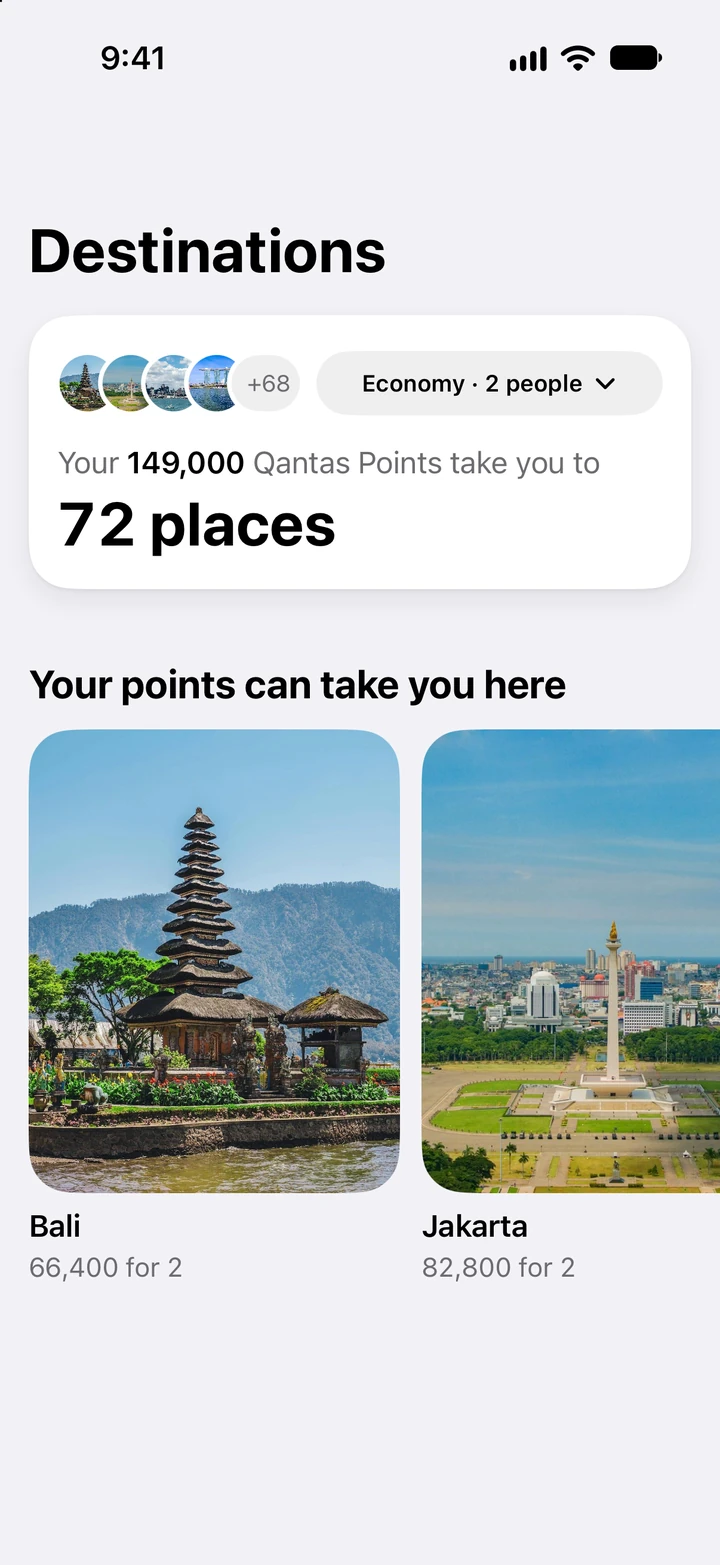
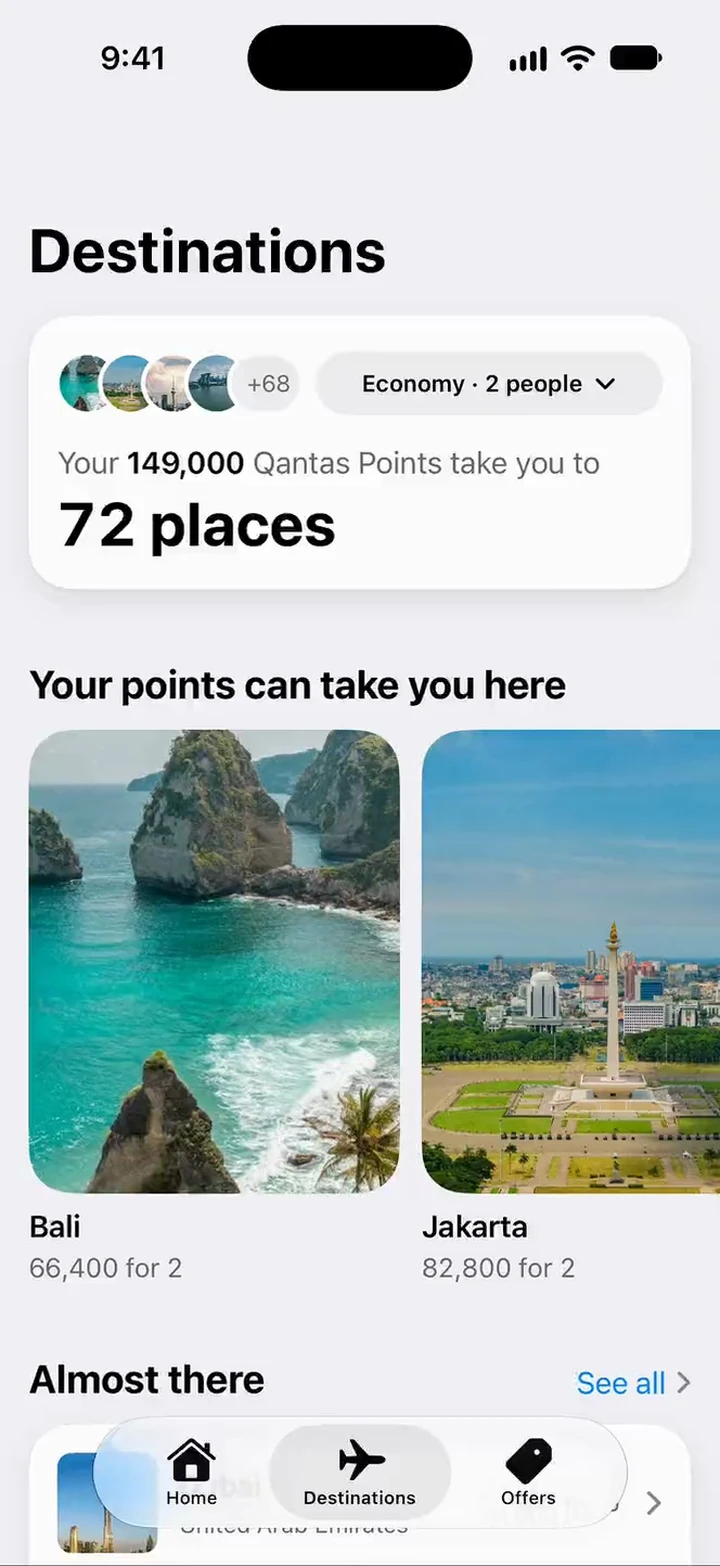
Points Map Destinations: your 149,000 Qantas Points take you to 72 places, Economy for 2 people. Your points can take you here: Bali, 66,400 for 2, and Jakarta, 82,800 for 2.
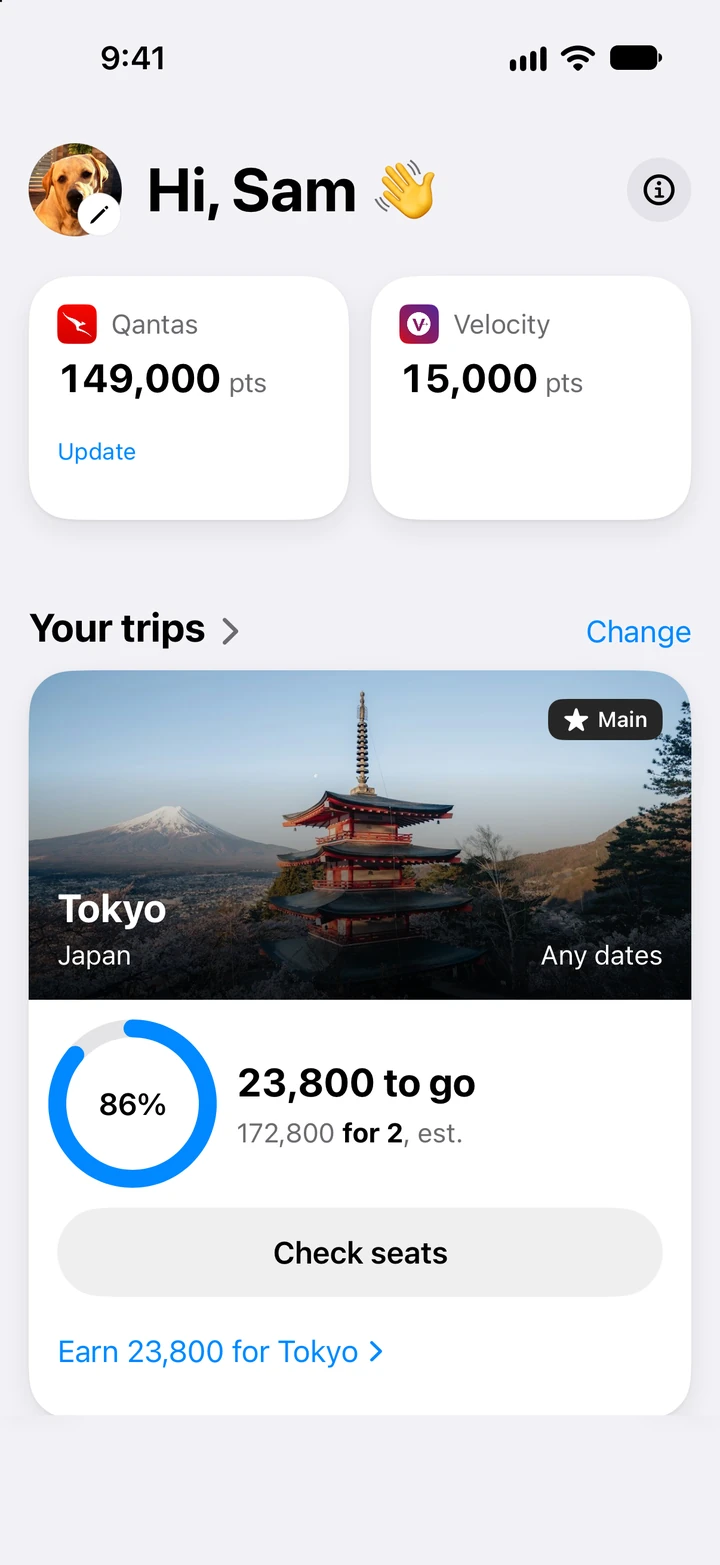
Points Map Home: Hi, Sam. Qantas 149,000 points and Velocity 15,000, shown separately. Your trips: Tokyo at 86%, 23,800 to go, Check seats, Earn 23,800 for Tokyo.
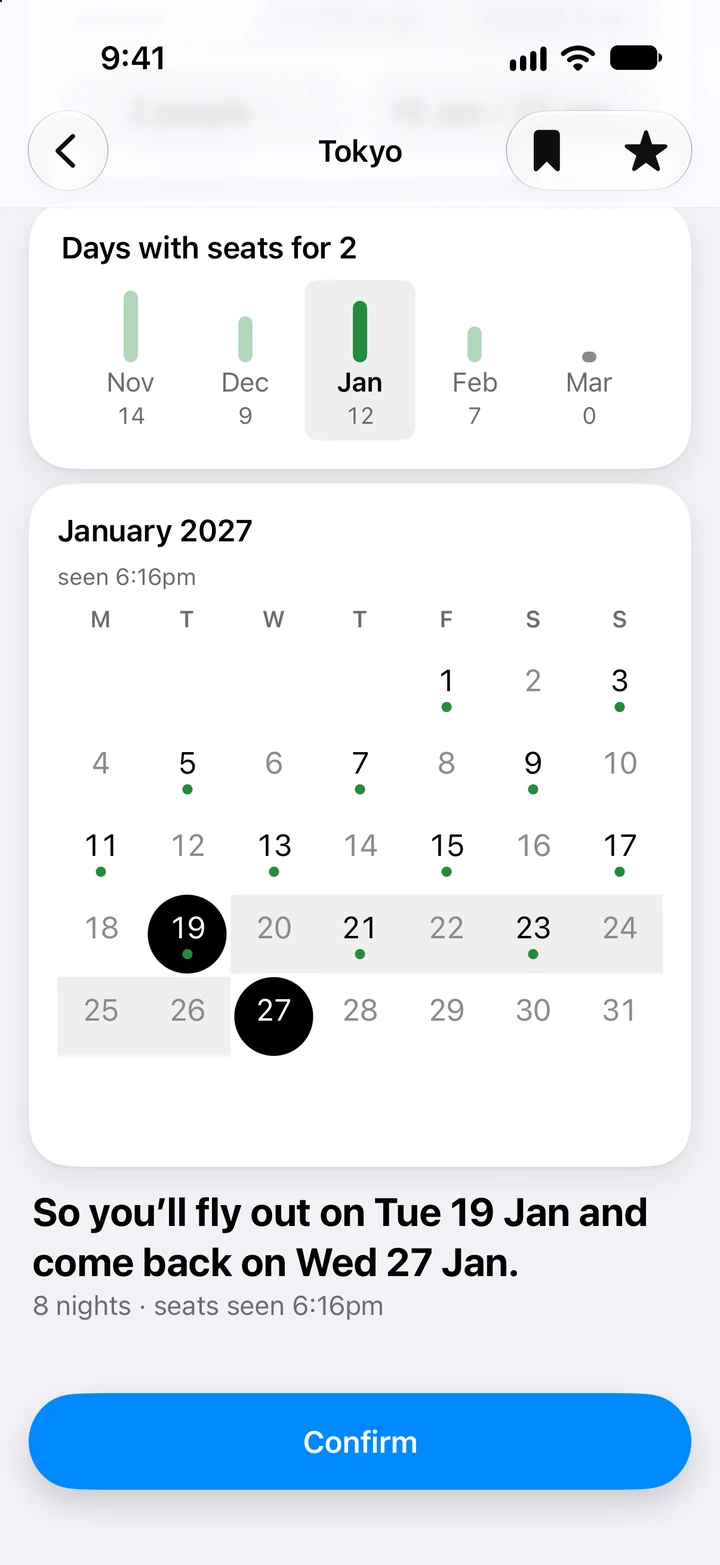
Points Map seat search for Tokyo: days with reward seats for 2 by month, a January calendar with green dots on days with seats, 19 to 27 January picked, 8 nights, and Confirm.

Earn from brands you know.

Cards, shopping, hotels and more, in one place.

Points Map app icon

How it works

Every point, mapped to a trip.

Step 1 · Your points

Type your points. See every place they already take you.

The phone shows Home: Qantas 149,000 and Velocity 15,000 on separate cards, a next step of 23,800 points to go for Tokyo, the Tokyo trip at 86%, and places the points reach, such as Bali, 66,400 for 2.

Step 2 · Dream trip

Pick your dream trip. See its real price, and how close you are.

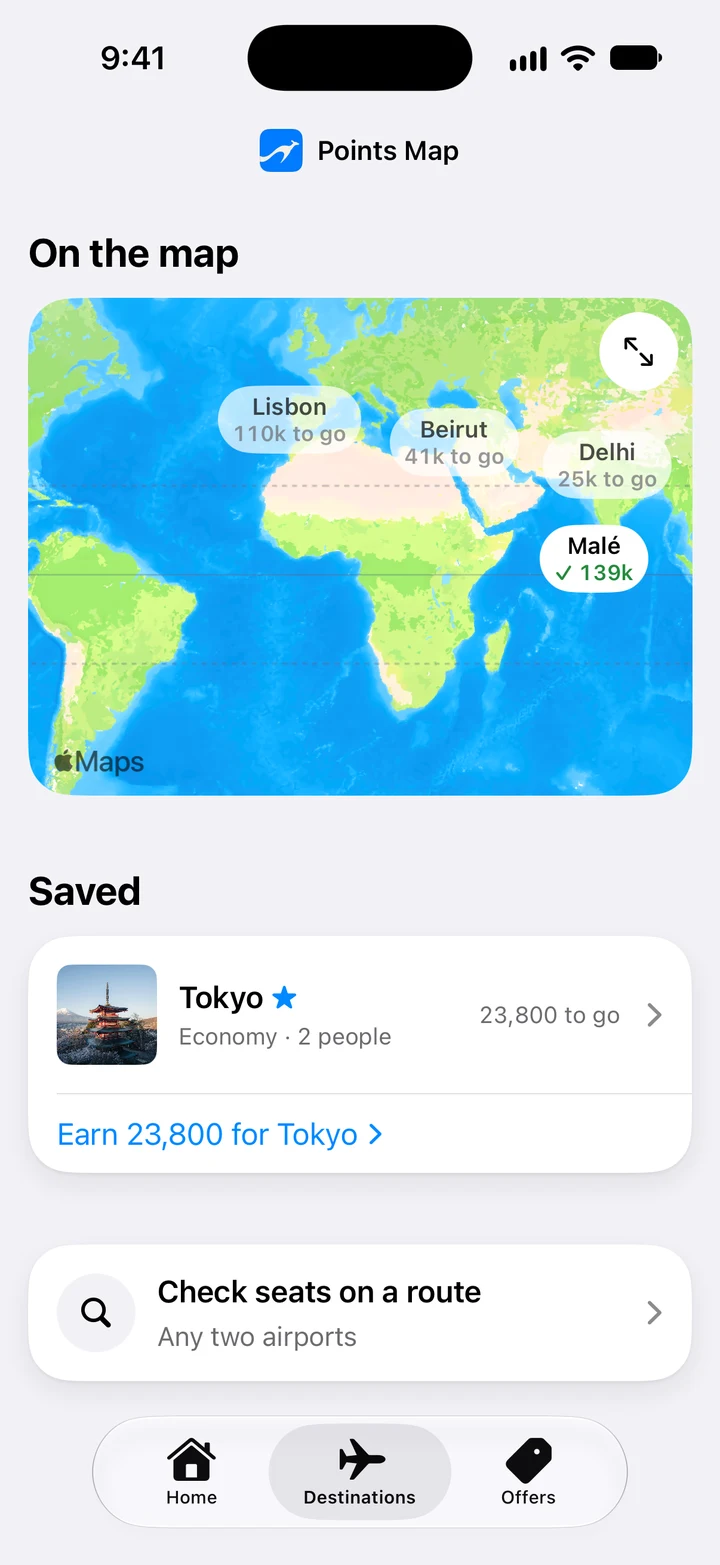
The phone shows Destinations: 149,000 Qantas Points take you to 72 places, places your points reach, places almost in reach, the map, and the saved Tokyo trip, 23,800 to go.

Step 3 · Close the gap

Save offers from brands you know. See how much closer they could get you.

The phone shows Offers: a Bank of Melbourne card offer of up to 150,000 points with a A$295 annual fee is saved, and the Tokyo card shows 1 saved, up to 150,000.

Step 4 · Book

Close enough? Check reward seats and book. You can go.

The phone shows the Tokyo trip: Economy is picked, Check seats opens a calendar of days with seats, 19 January out and 27 January back are picked and confirmed. Result, from the top: Your trip, Economy for 2, 19 to 27 January, seats seen on both flights, Covered, 203,600 points of 230,000, and a button to book on qantas.com.

Frequently asked questions

Do I need an account or my Qantas login?

No. No account, no sign-in. You type your balance, and Points Map never asks for your airline or bank login.

What if I don’t have enough points yet?

You see which trips are almost there and which offers could close the gap, each with its points and terms. Points to go only counts points you already have.

Which programs does it cover?

Qantas Points and Velocity Points, each on its own card and never added together. Points Map is independent and not affiliated with either.

Where do the trip prices come from?

From the Qantas reward tables. Every trip price is marked est., and taxes are extra. Offers show their own points and terms.

Do you book the flight for me?

No. You check reward seats in the app, then book with your program.

Is it only for Australia?

Yes. Points Map is built for Australia.

Your next trip is already in your points.
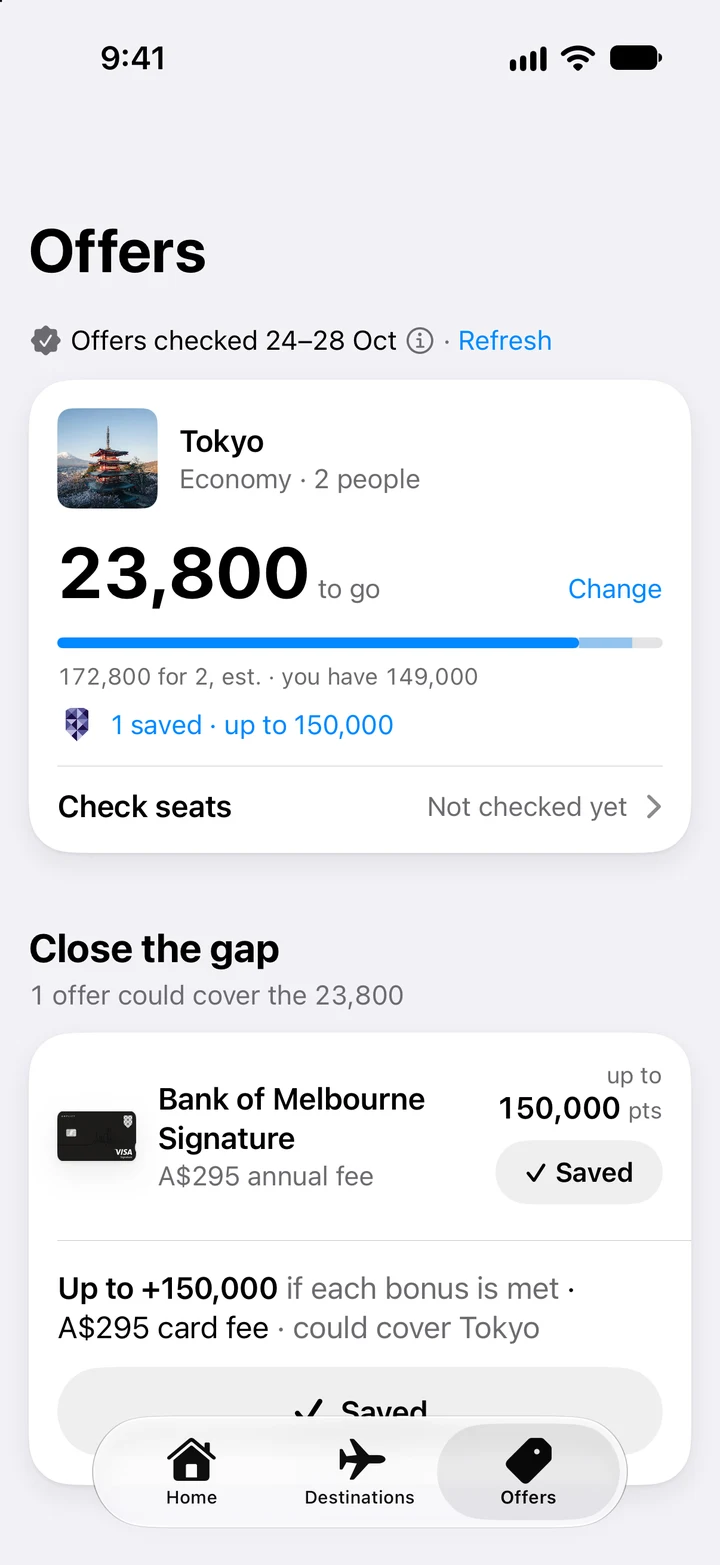
Offers: a Bank of Melbourne card offer saved for Tokyo, 1 saved, up to 150,000.
Destinations: your 149,000 Qantas Points take you to 72 places, Economy for 2 people, with Jakarta and Auckland.
Destinations map with places and points to go, and the saved Tokyo trip.

Scan to get the app on your iPhone

Browsing on your computer?

Send yourself the link and open it on your iPhone.

Privacy